
My calendar
My calendar shows your absences on the calendar and how many vacation days you have left.
How to see your absences on the calendar
Section titled “How to see your absences on the calendar”-
Go to Mi Calendario. At the top you see your available vacation days, with the Ver listado de vacaciones (View vacation list) link, and the next event.
-
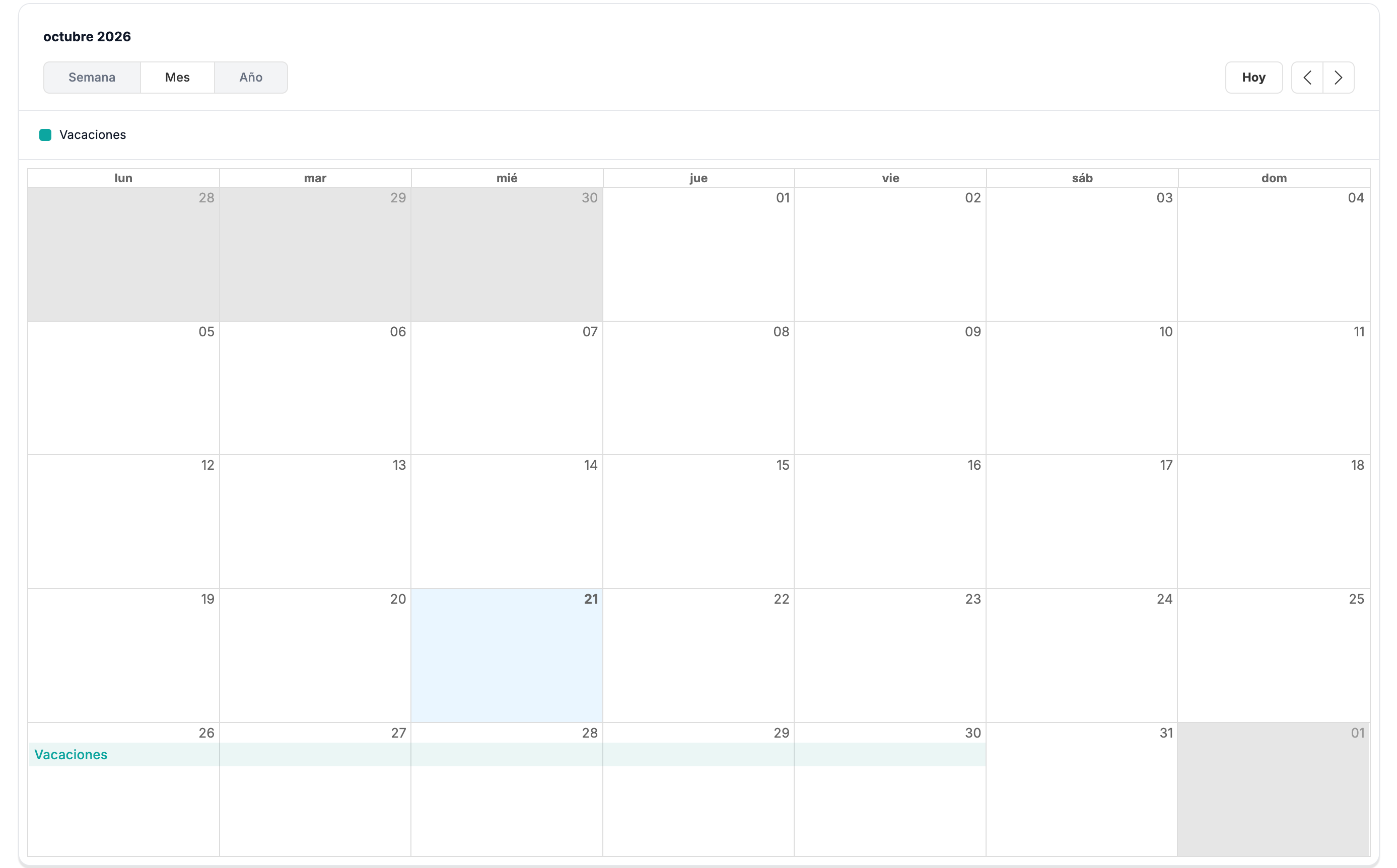
The calendar opens in the Semana (Week) view. Switch to Mes (Month) or Año (Year) with the buttons at the top, and move with the arrows; Hoy (Today) takes you back to the current date.
-
Your vacation appears as a bar with its name, and the legend at the top shows its color.
Example
Section titled “Example”Javier has approved vacation from 26 to 30-10-2026. In the October Mes view it appears as a Vacaciones (Vacation) bar from Monday to Friday of that week.
From this screen you can also request an absence with Solicitar ausencia (Request absence), just as in My dashboard.
Troubleshooting
Section titled “Troubleshooting”- You do not see an absence you expect. The calendar opens on the current week: switch to Mes or Año.