
New hires and onboarding
New hires are managed in Alta de Empleados › Gestion de altas. There you find the list of hires, with views for those in progress, completed, cancelled and all of them.
Starting a new hire
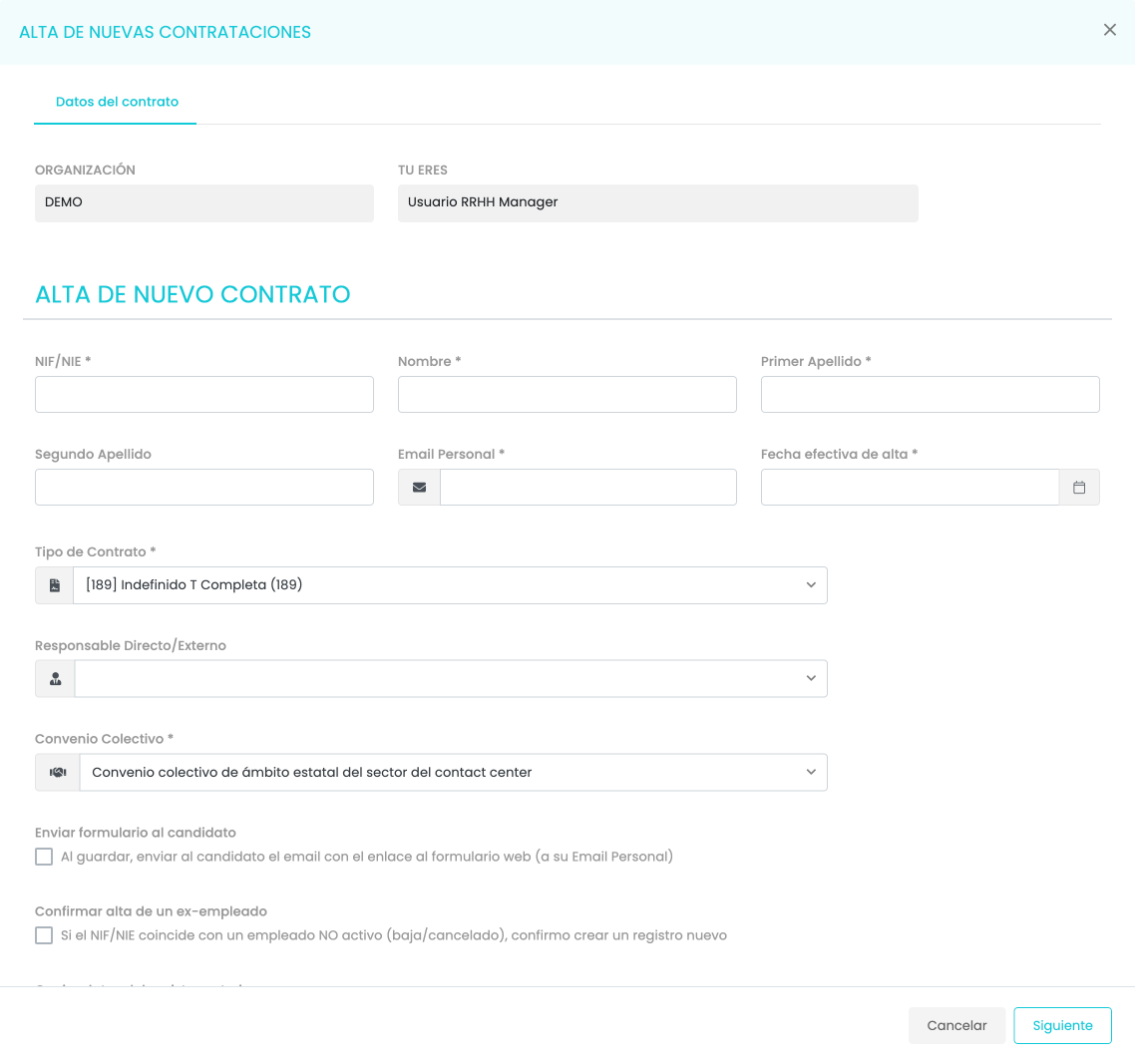
Section titled “Starting a new hire”Iniciar nuevo Contrato Laboral (Start new employment contract) opens the onboarding form. It asks for:
- The person’s NIF or NIE (Spanish tax ID or foreigner ID), first name and last names.
- Their personal email, to which the form will be sent.
- The effective start date.
- The contract type, the direct manager and the collective agreement.
At the end there are two checkboxes: send the form to the candidate on saving, and confirm the hire of a former employee if the NIF or NIE matches someone who was already in the organization.
Completing the hire
Section titled “Completing the hire”From the list, Continuar con proceso (Continue process) opens the hire’s record. It has several tabs: Datos del contrato (Contract details), Datos del Empleado (Employee details), Documentos (Documents), Datos de la Empresa (Company details), Histórico de acciones (Action history) and Descargas (Downloads).
In Datos del contrato you complete, block by block:
- The person’s details: ID document, name, contact, Social Security number, date of birth, nationality, effective start date and end of the probation period.
- Sending the form to the candidate: the screen says whether it has already been sent. When you check it, the person receives an email with a secure link to complete their personal and bank details and upload the documents requested. The link expires after 7 days. You can send it to another address and add a comment.
- The offer details: collective agreement, contract type, manager, work center, agreement level, weekly hours, job position, salary and variable pay.
- Contract and working hours: whether they were employed before, seniority date, reason for hiring, comments, type and percentage of working hours and how they are distributed.
The button at the bottom saves the changes, submits the hire to generate the contract, or cancels it.
Bulk import
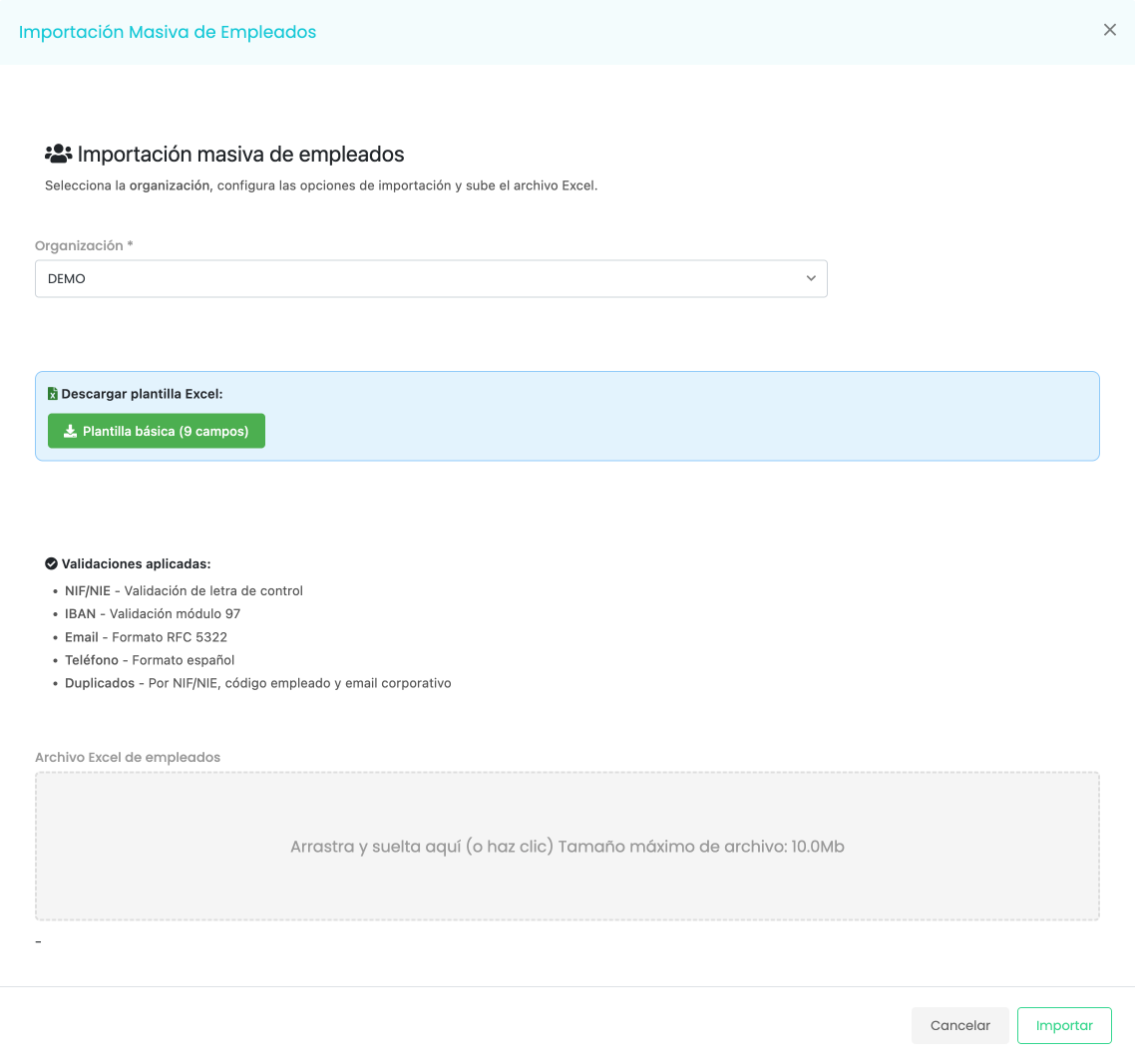
Section titled “Bulk import”Importación Masiva (Bulk import) onboards several people at once from an Excel file. You choose the organization, download the basic template and upload the file, up to 10 MB. Before importing, it checks:
- That the NIF or NIE has the correct check letter.
- That the IBAN is valid.
- The format of the email and the phone number.
- That there are no duplicates by NIF or NIE, employee code or corporate email.
Troubleshooting
Section titled “Troubleshooting”- The person was already in the organization. If their NIF or NIE matches an employee who is no longer active, check Confirmar alta de un ex-empleado (Confirm hire of a former employee) to create a new record.
- The bulk import rejects rows. Review the validations on the panel: the NIF or NIE letter, the IBAN, the email and phone format, and that there are no duplicates.