
My documents
Here you have the documents HR sends you and your contract. Your payslips and your income tax certificates are in Payslips and income tax certificates.
How to view and confirm a document
Section titled “How to view and confirm a document”-
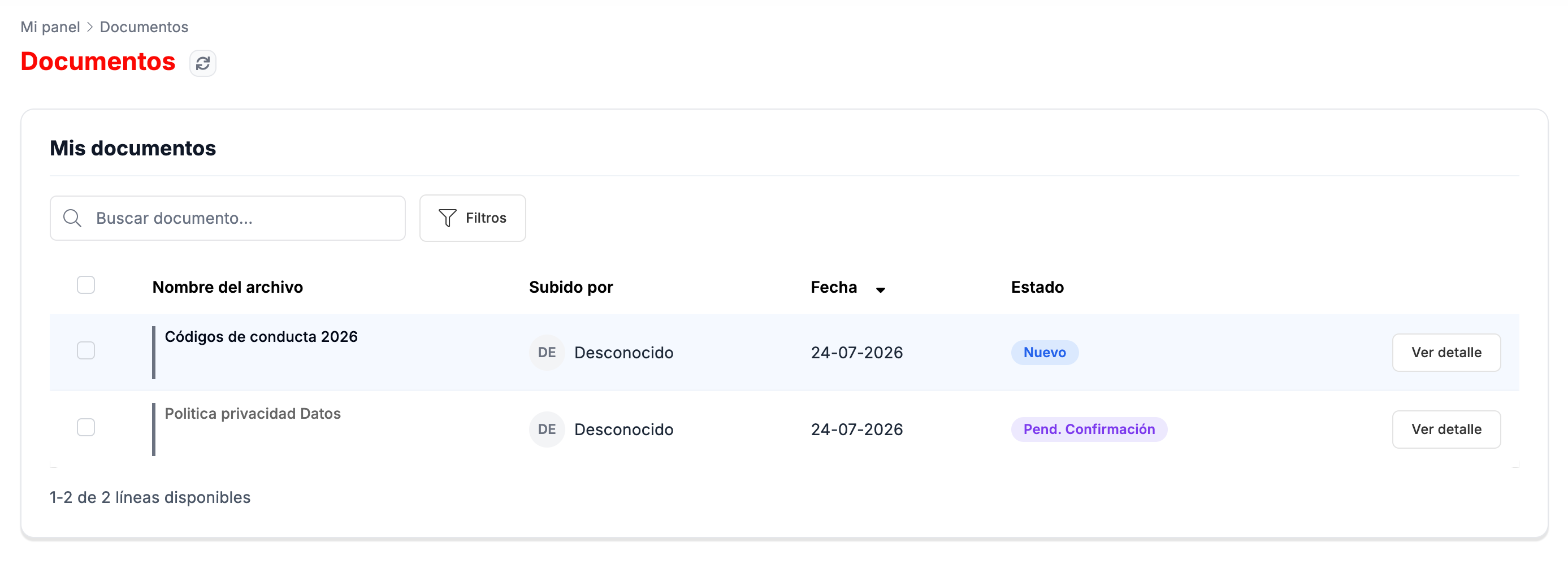
Go to Mi Panel › Documentos. The list shows the name of each document, the date and its status, for example Nuevo (New) or Pend. Confirmación (Pending confirmation).
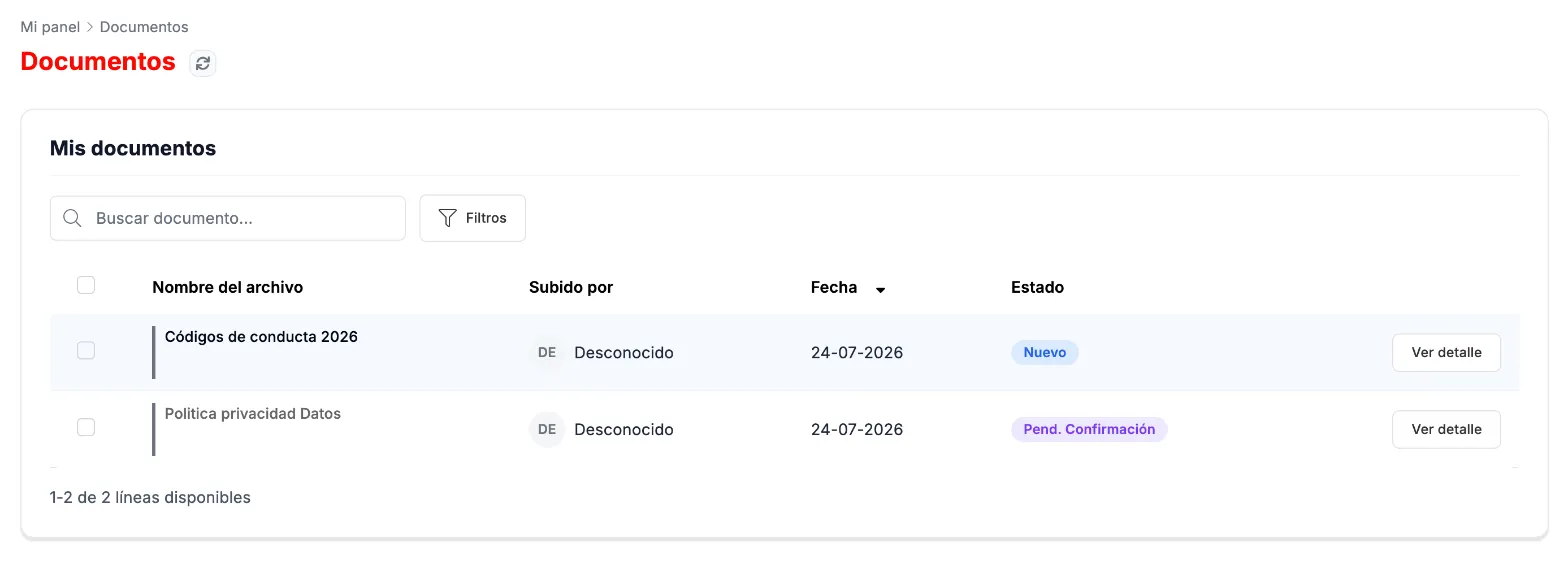
My documents, with their status. -
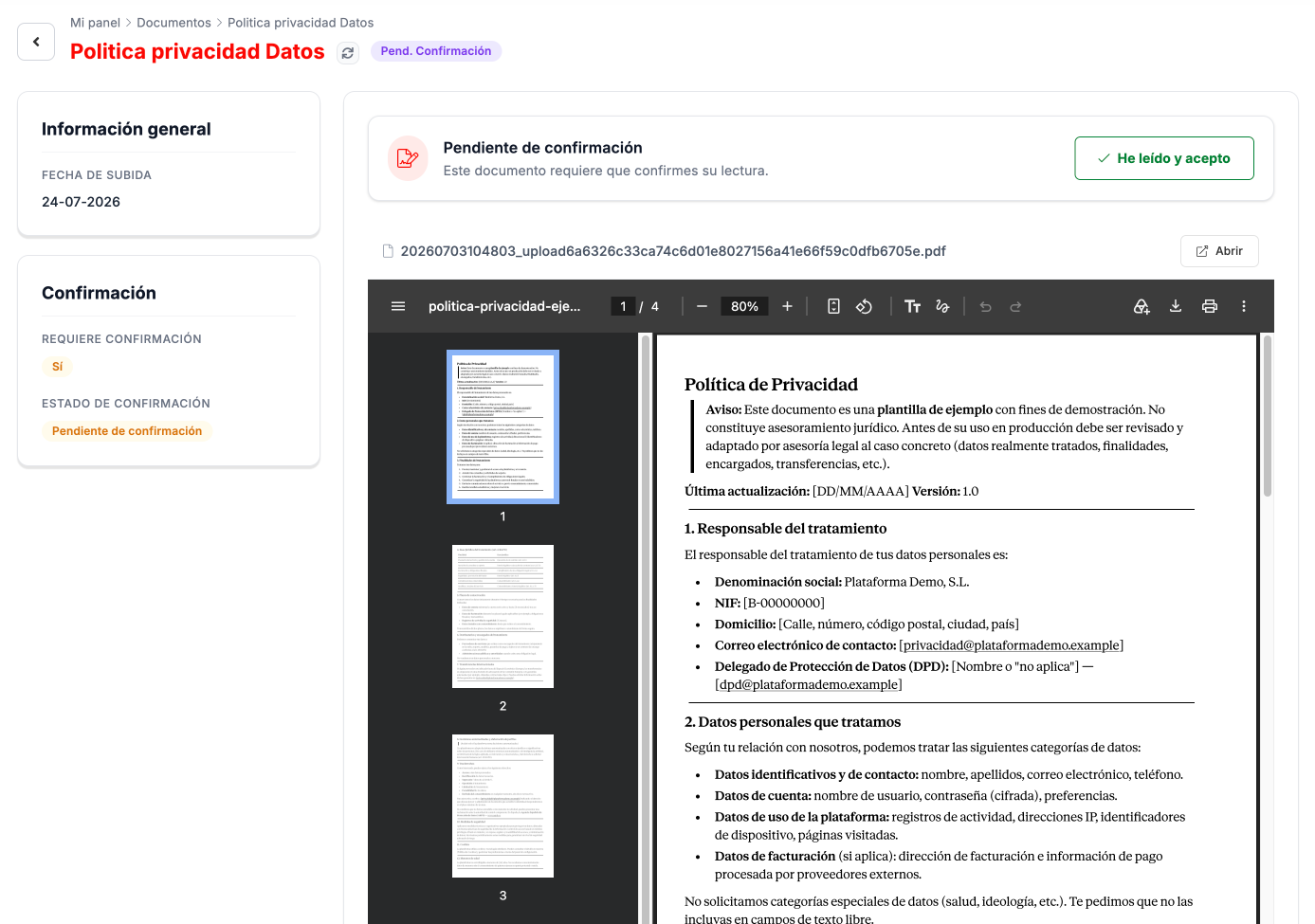
Click Ver detalle (View details). You see the upload date, whether it requires confirmation and the document, which you can read on the screen itself or open with Abrir (Open).
-
If the document asks for confirmation, read it and click He leído y acepto (I have read and accept).
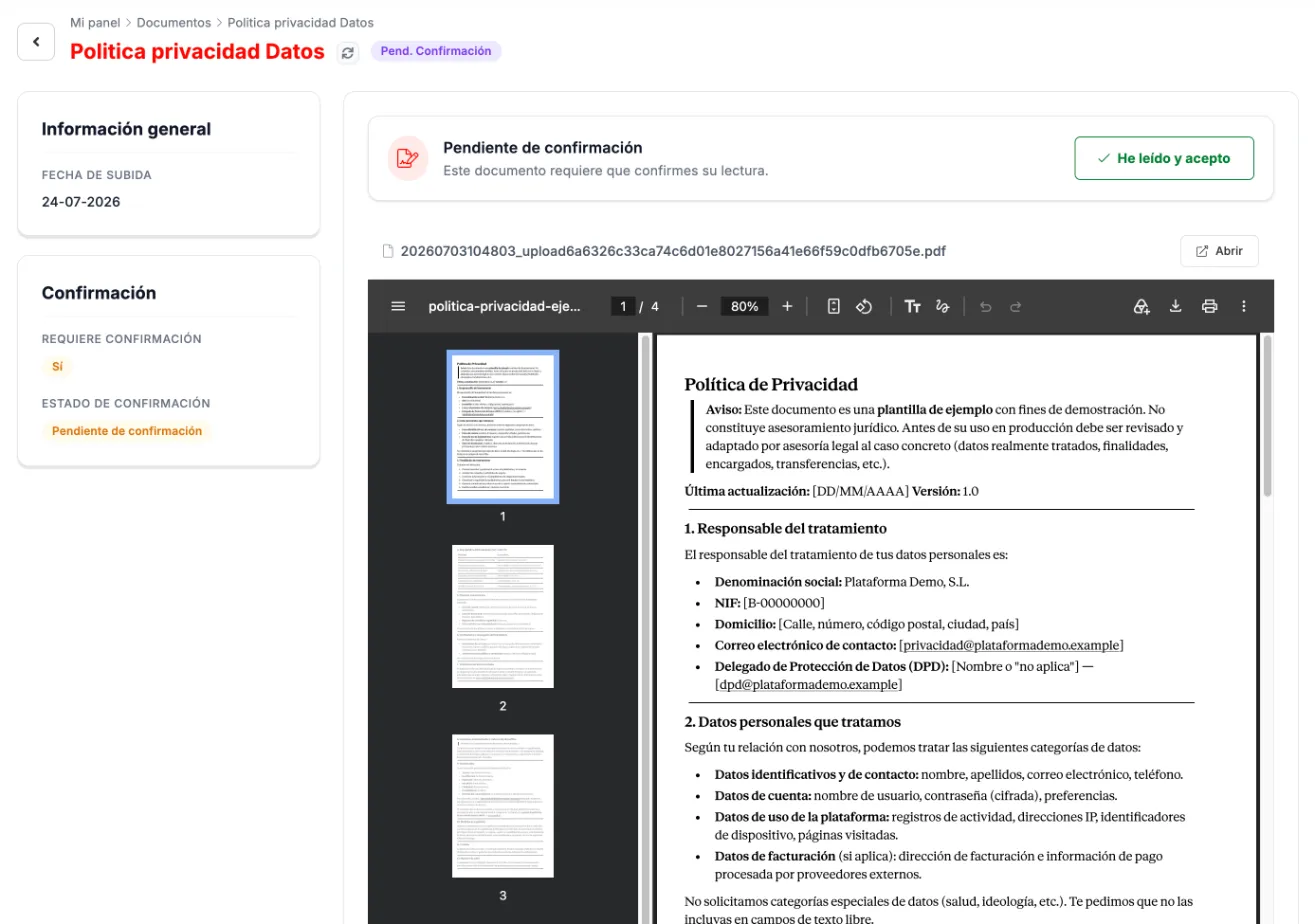
A document pending confirmation.
How to view your contract
Section titled “How to view your contract”-
Go to Mi Panel › Mi Contrato. At the top you see the contract type and its status, for example Activo (Active); on the left, the Datos temporales (Time details) and the Condiciones laborales (Working conditions); on the right, the contract as a PDF.
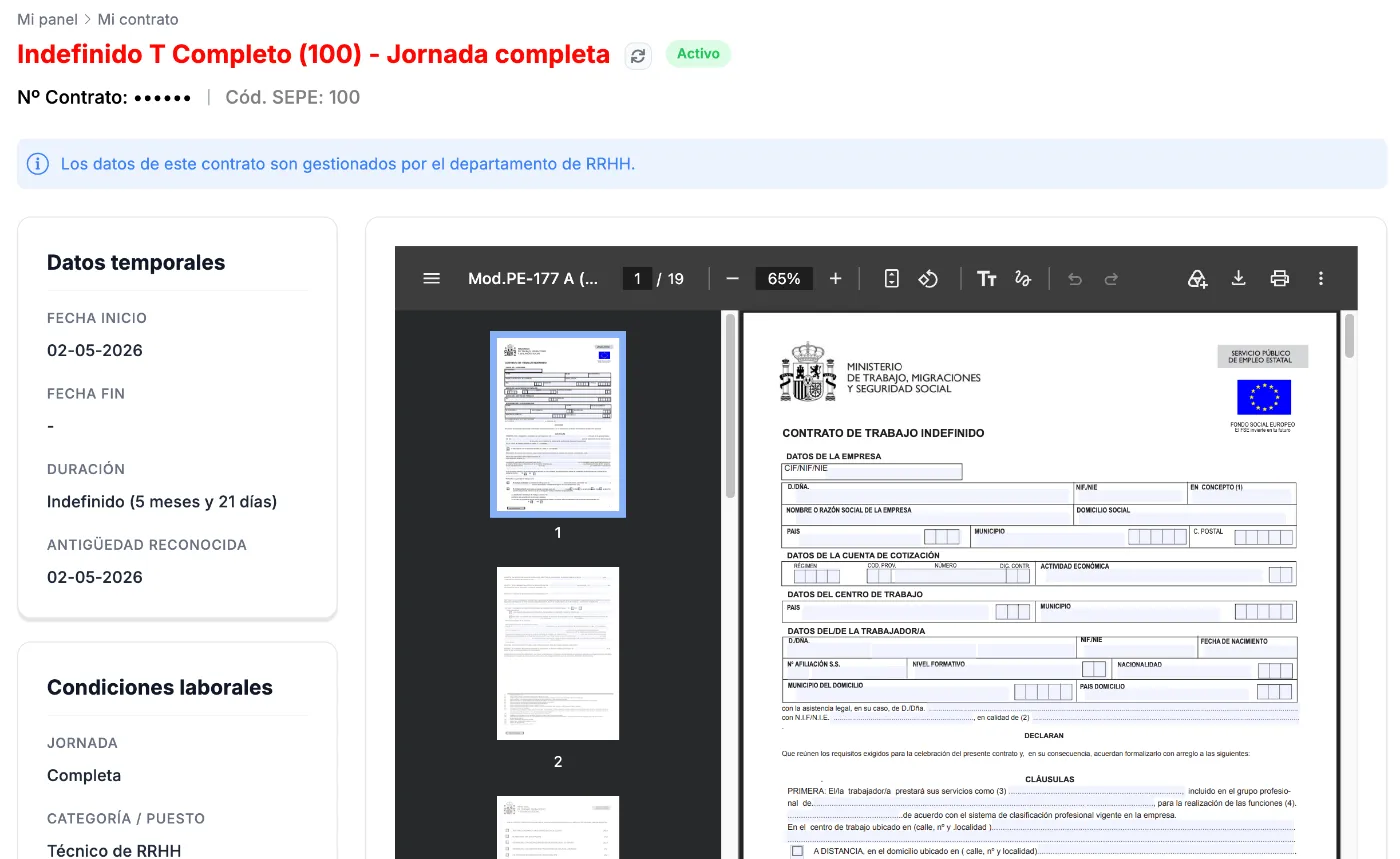
My contract. -
Further down, on the left, you have your Convenio (Collective agreement) and the Documentación asociada (Related documentation). To open the contract, click Contrato Firmado (Signed contract) or Contrato Original (Original contract).
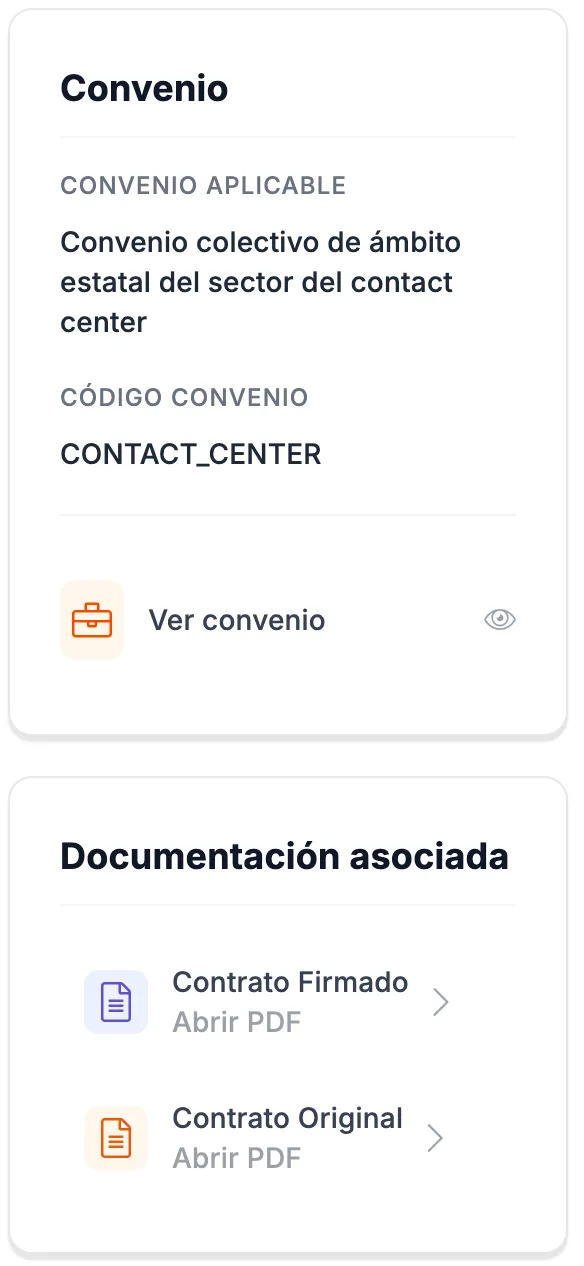
Collective agreement and related documentation.
Troubleshooting
Section titled “Troubleshooting”- A document still shows Pend. Confirmación. Open it with Ver detalle and click He leído y acepto.
- A detail of your contract is not correct. Contract details are managed by HR: contact your Human Resources department.