
My details
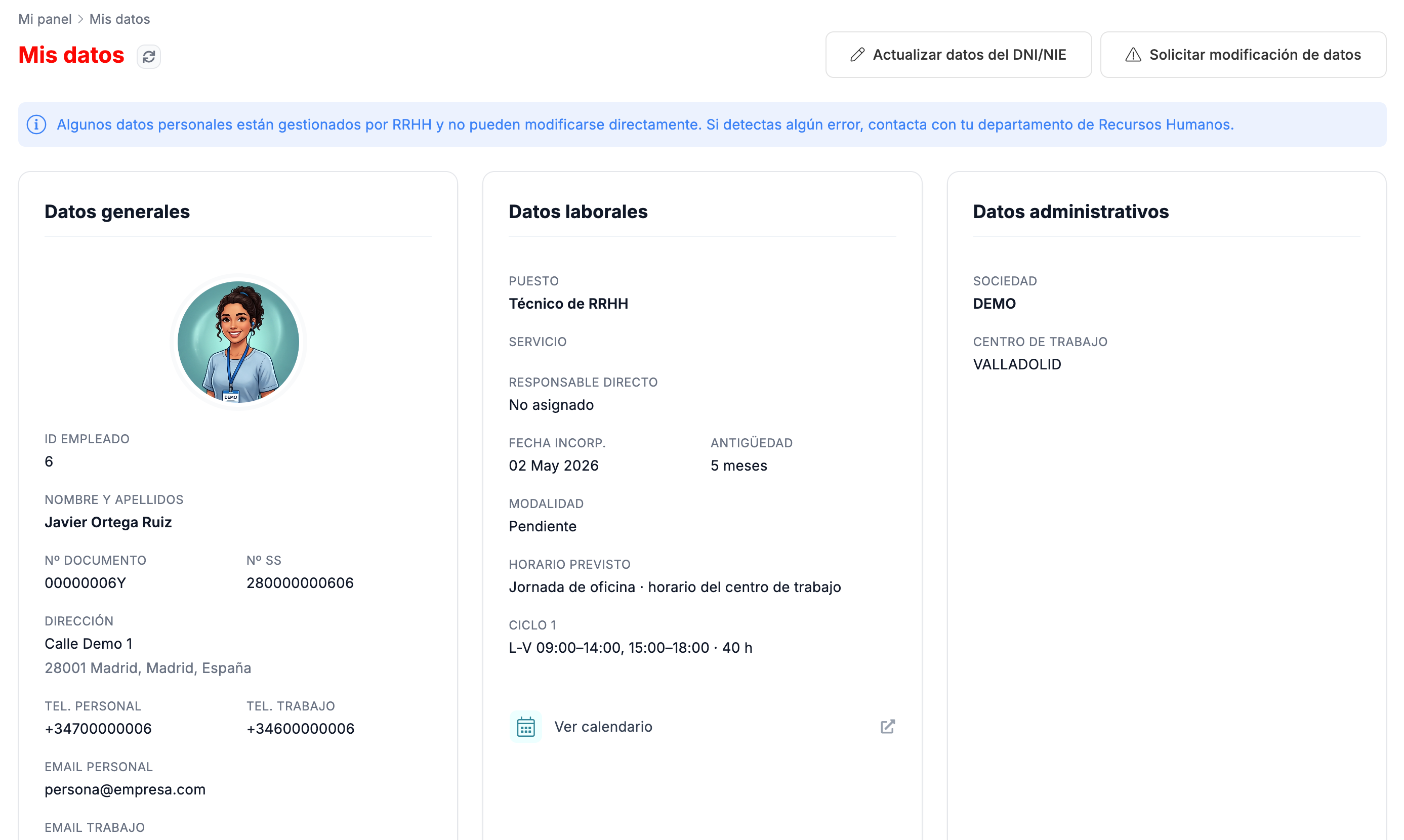
In My details you see your employee record. Some details are managed by HR and you cannot change them yourself; for those there is a change request.
What you see in My details
Section titled “What you see in My details”- General details: your identification, your address and your phone numbers and emails.
- Employment details: job position, service, manager, start date, seniority, work arrangement and your planned schedule, with its time slots and weekly hours, and the Ver calendario (View calendar) link.
- Administrative details: company and work center.
How to change your contact details and address
Section titled “How to change your contact details and address”-
Click Ver/editar mis datos (View/edit my details), in the pending details notice at the top.
-
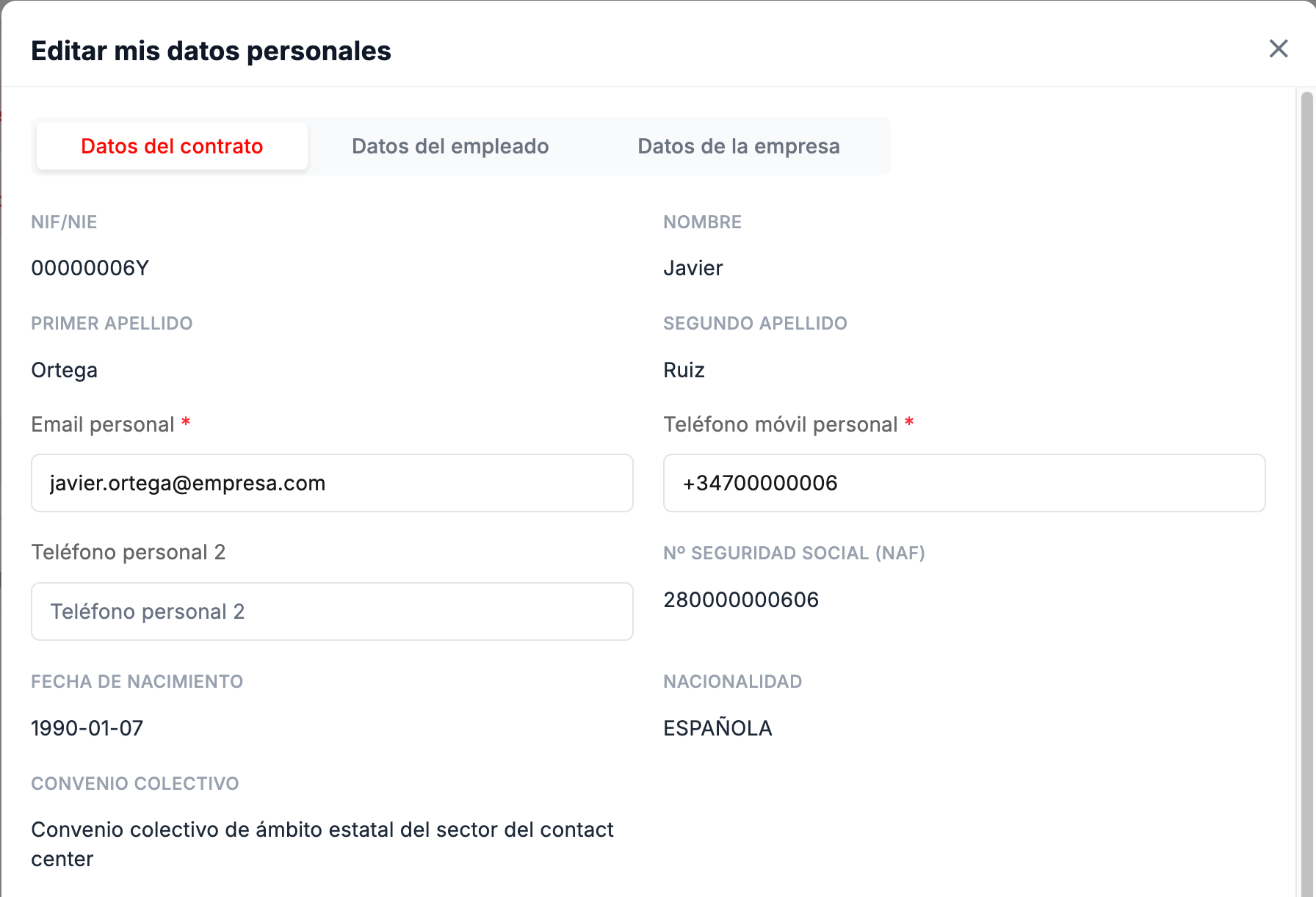
Editar mis datos personales (Edit my personal details) has three tabs:
- Datos del contrato (Contract details): you can change your Email personal (Personal email), your Teléfono móvil personal (Personal mobile phone) and a Teléfono personal 2 (Personal phone 2). The rest is view-only.
- Datos del empleado (Employee details): you can change your address and your emergency contact (name, relationship and phone number).
- Datos de la empresa (Company details): area, department, company email and phone, view-only.
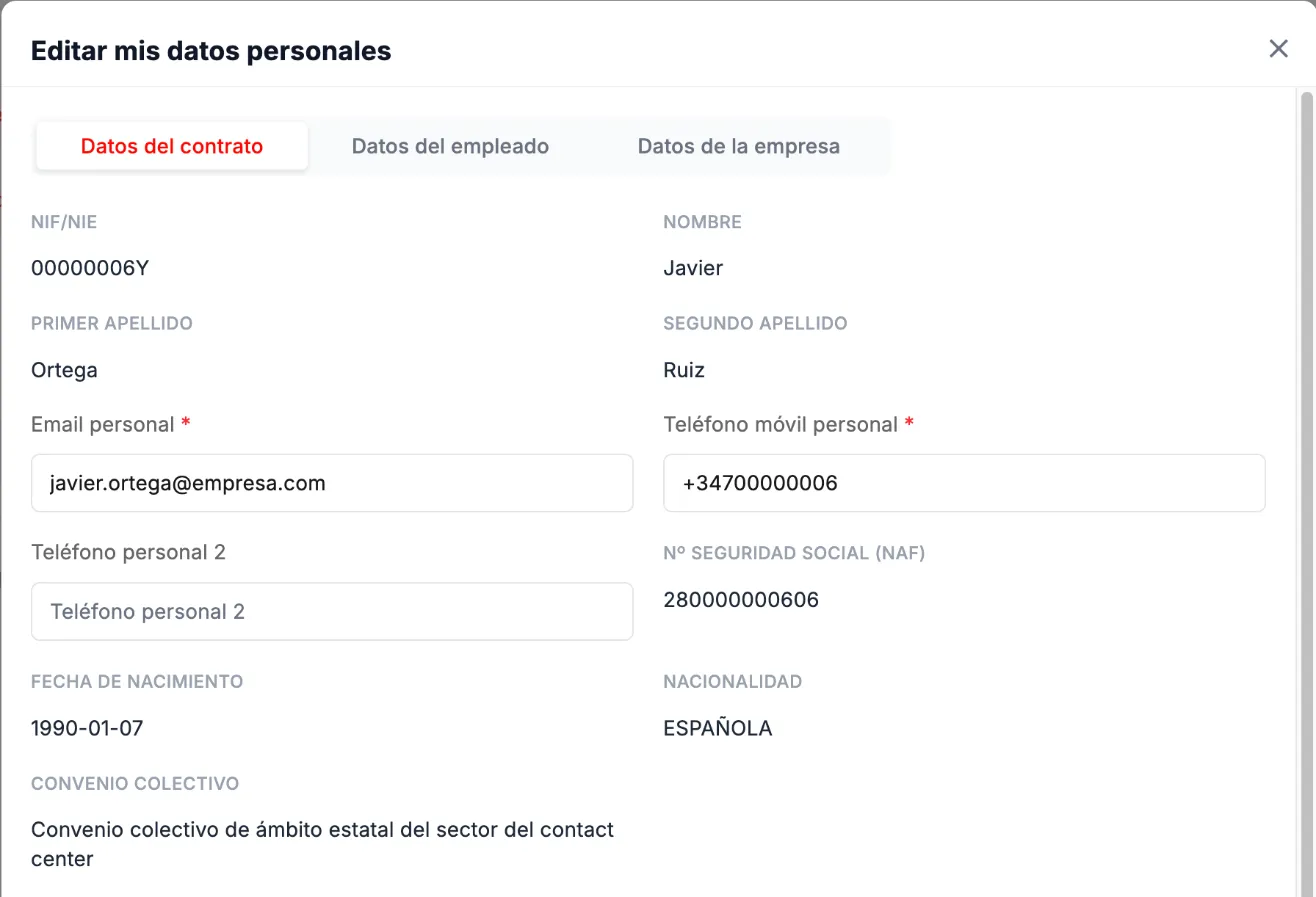
Edit my personal details, Contract details tab. -
Click Guardar cambios (Save changes).
How to update your DNI or NIE
Section titled “How to update your DNI or NIE”-
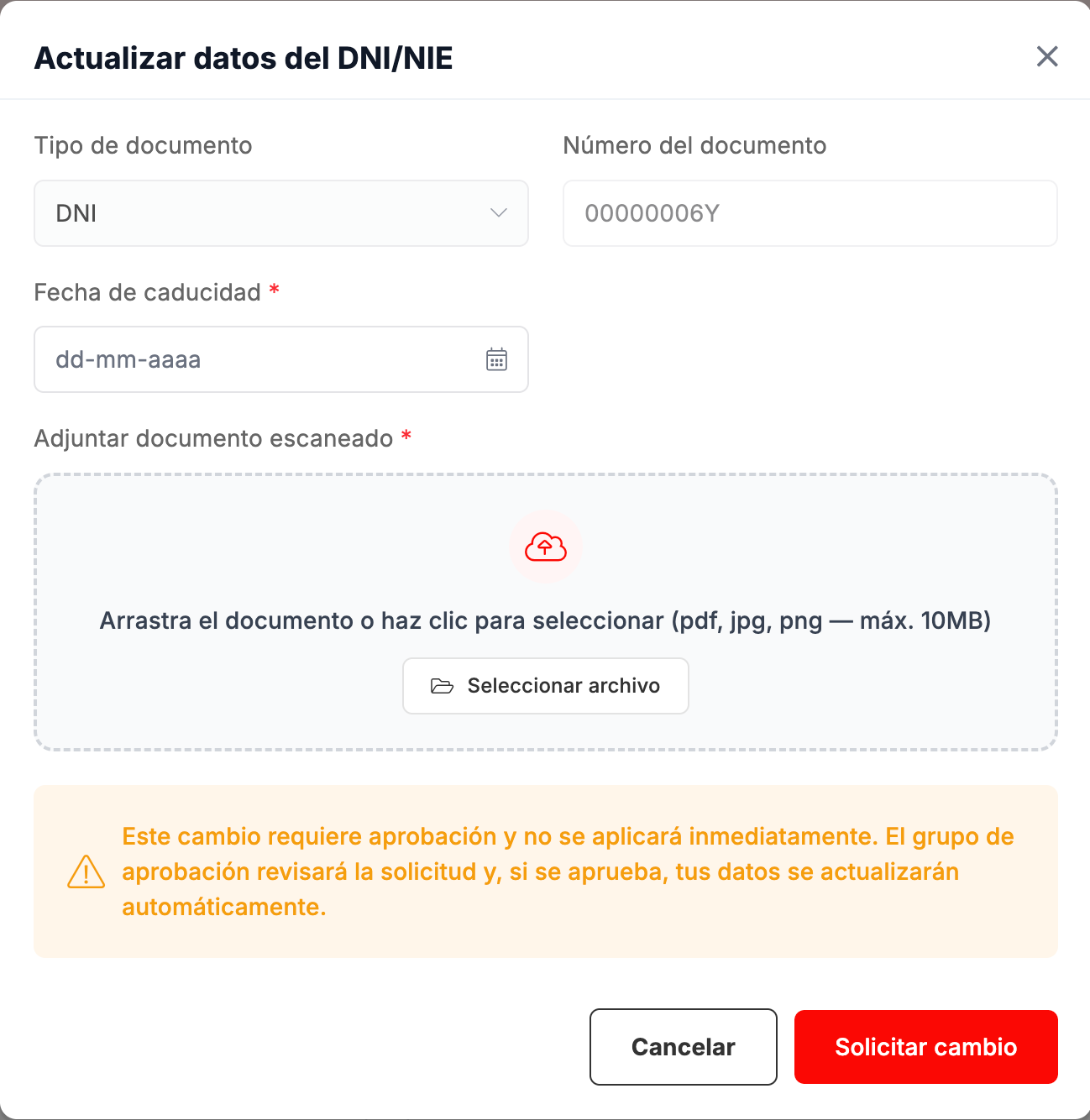
Click Actualizar datos del DNI/NIE (Update ID document details), at the top right, next to the Mis datos title.

-
Enter the Fecha de caducidad (Expiry date) and attach the scanned document (PDF, JPG or PNG, up to 10 MB). Both are required.
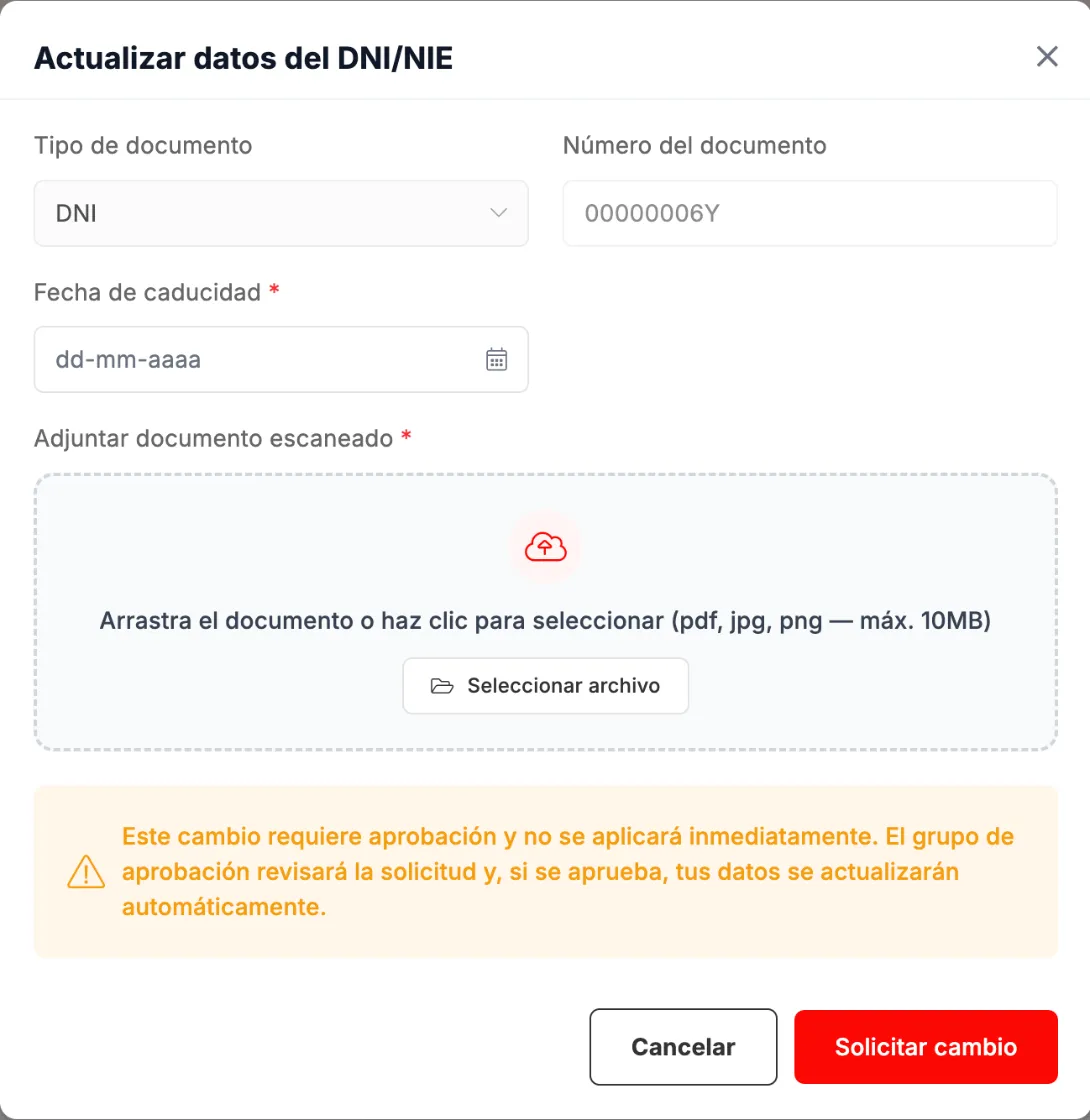
Updating the DNI or NIE details. -
Click Solicitar cambio (Request change).

How to ask HR to correct a detail
Section titled “How to ask HR to correct a detail”-
Click Solicitar modificación de datos (Request a change of details), at the top right, the second button next to the Mis datos title.
-
Describe the error you have found and, if you like, attach a document (from 1 KB to 10 MB).
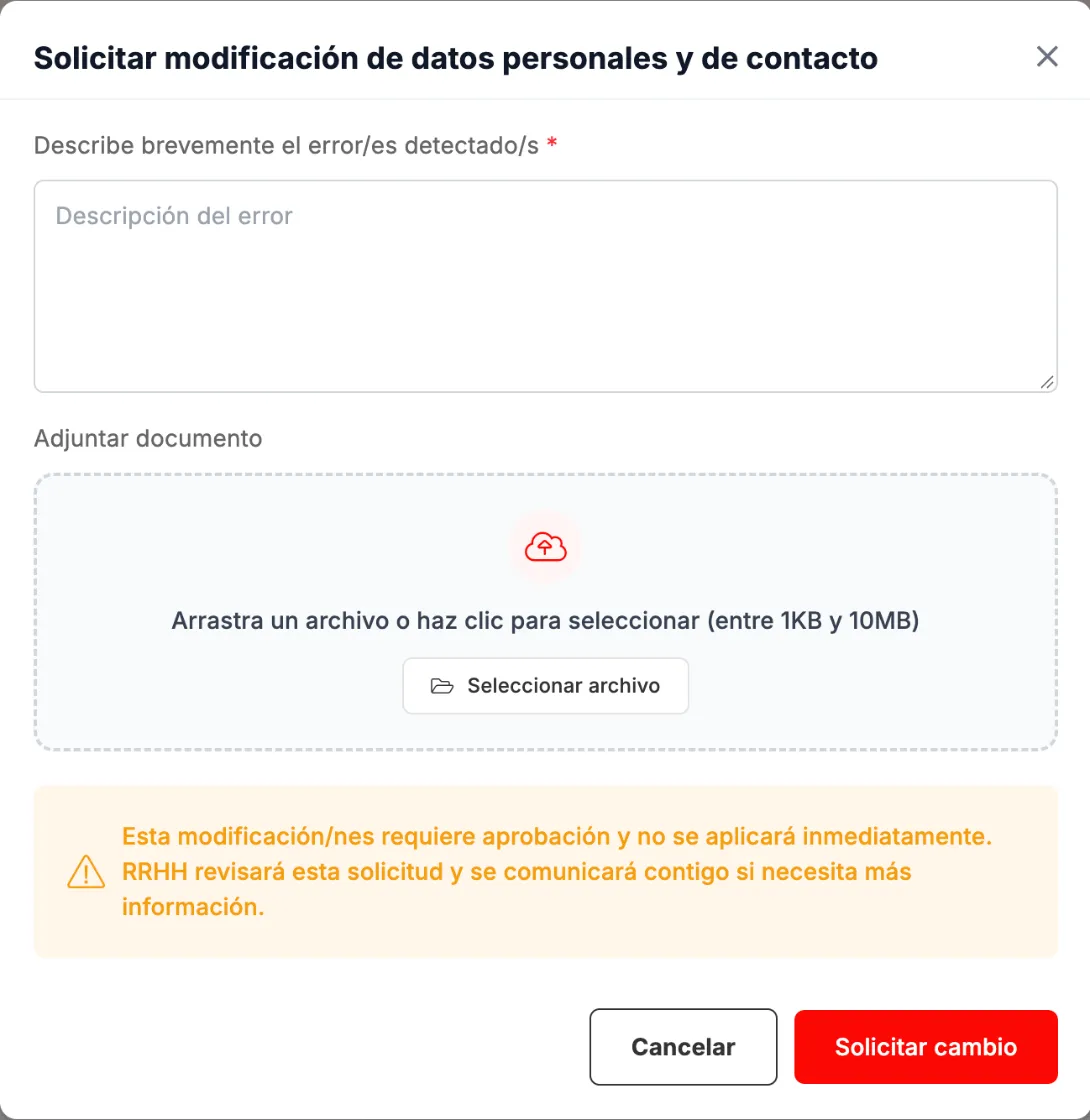
Asking HR to correct a detail. -
Click Solicitar cambio.
What changes and what does not
Section titled “What changes and what does not”- The DNI or NIE (Spanish ID document) update and the change request require approval and are not applied immediately. If the DNI or NIE update is approved, your details are updated automatically.
- For the change request, HR will contact you if they need more information.
- The change request appears in Requests as Cambios datos personales (Personal details changes), with the detail Error en mis datos (Error in my details) and its status.
Troubleshooting
Section titled “Troubleshooting”- A detail is wrong and you cannot edit it. Use Solicitar modificación de datos.
- My dashboard warns you that your document’s expiry date is missing. Use Actualizar datos del DNI/NIE.
- Your emergency contact is missing. It is in Ver/editar mis datos, Datos del empleado tab.