
My dashboard
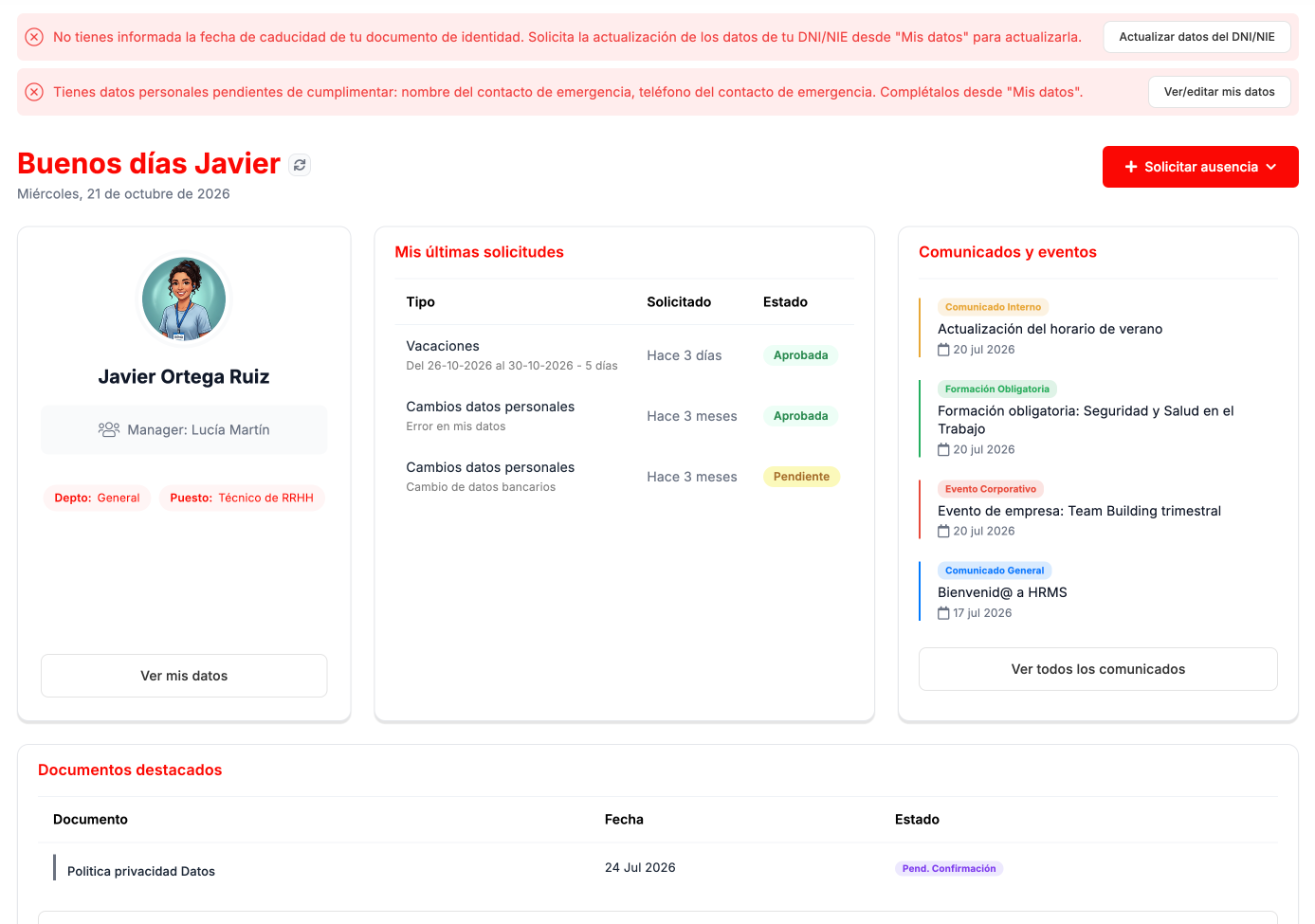
My dashboard brings together the most used parts of the portal on a single screen.
What is on My dashboard
Section titled “What is on My dashboard”- Notices, at the top, if any of your details are missing: for example, the expiry date of your ID document or an emergency contact. Each notice has its button to resolve it.
- Your card: your name, your manager, your department and your job position, with the Ver mis datos (View my details) link.
- Mis últimas solicitudes (My latest requests), with their status.
- Recent Comunicados y eventos (Announcements and events), with the Ver todos los comunicados (View all announcements) link.
- Documentos destacados (Featured documents), the ones HR has marked for you to see, with their status.
- The Solicitar ausencia (Request absence) button.
How to resolve a notice
Section titled “How to resolve a notice”- Read the notice: it says which detail is missing and where to complete it.
- Click its button: Actualizar datos del DNI/NIE (Update ID document details) or Ver/editar mis datos (View/edit my details).
- Complete the detail as explained in My details.
How to request an absence from My dashboard
Section titled “How to request an absence from My dashboard”-
Click Solicitar ausencia and choose Vacaciones (Vacation) or Permiso (Leave).
-
In the vacation form, choose the Fecha desde (From date) and the Fecha hasta (To date), which are required, and write a Motivo (Reason) if you like. The form shows your available days, in calendar days and including weekends, and who will review the request.
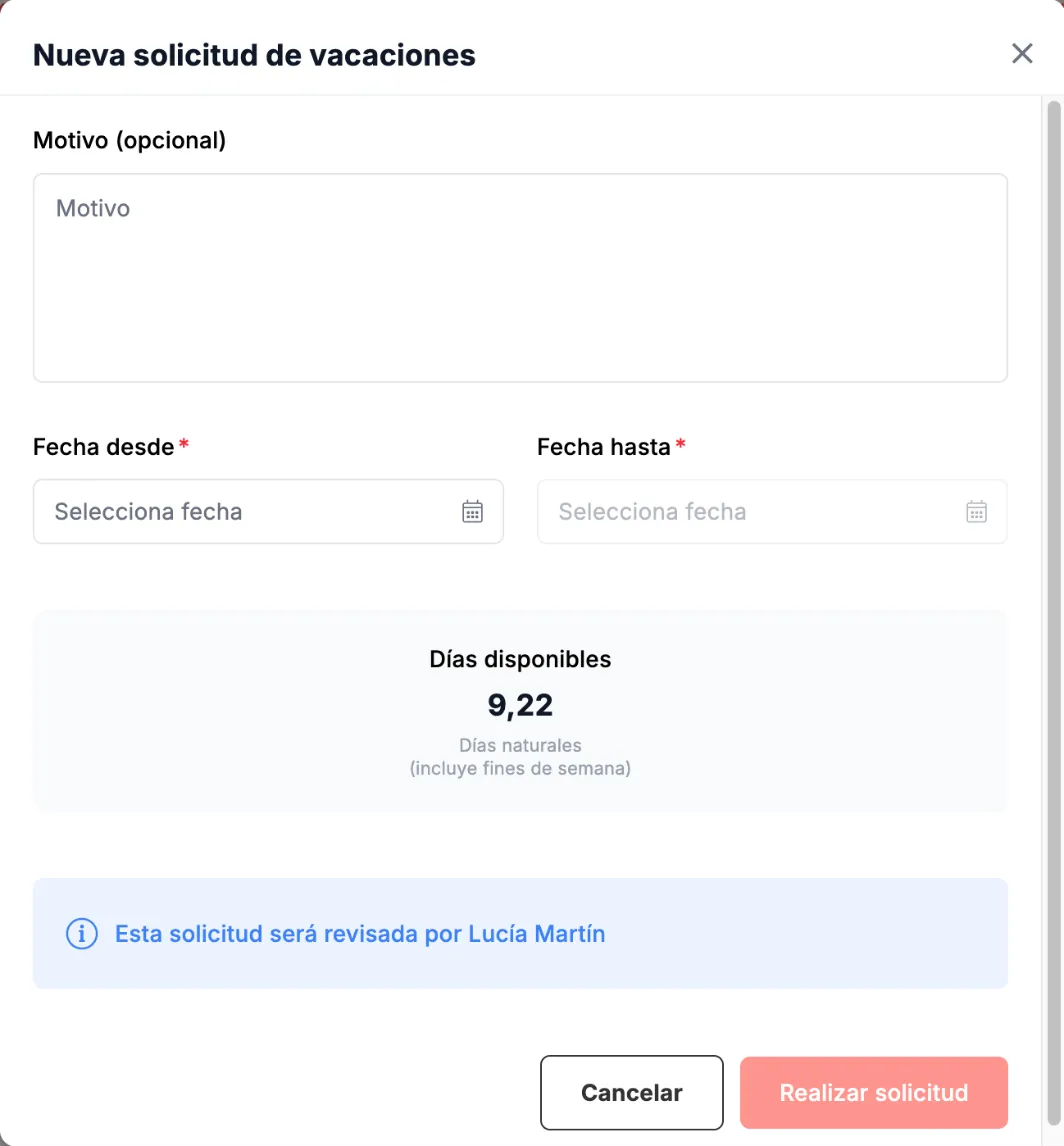
New vacation request. -
Click Realizar solicitud (Submit request). You will see it in Mis últimas solicitudes with its status.
Leave is requested with its own form, explained in Requests.
Troubleshooting
Section titled “Troubleshooting”- My dashboard warns you that a detail is missing. Use the notice’s button and complete it in My details.
- You do not know who will approve your vacation. The form tells you, below the available days.
Related
Section titled “Related”My detailsView your details and complete the missing ones.
RequestsAll your requests and how to request each type.