
Dashboards and reports
Workforce dashboard
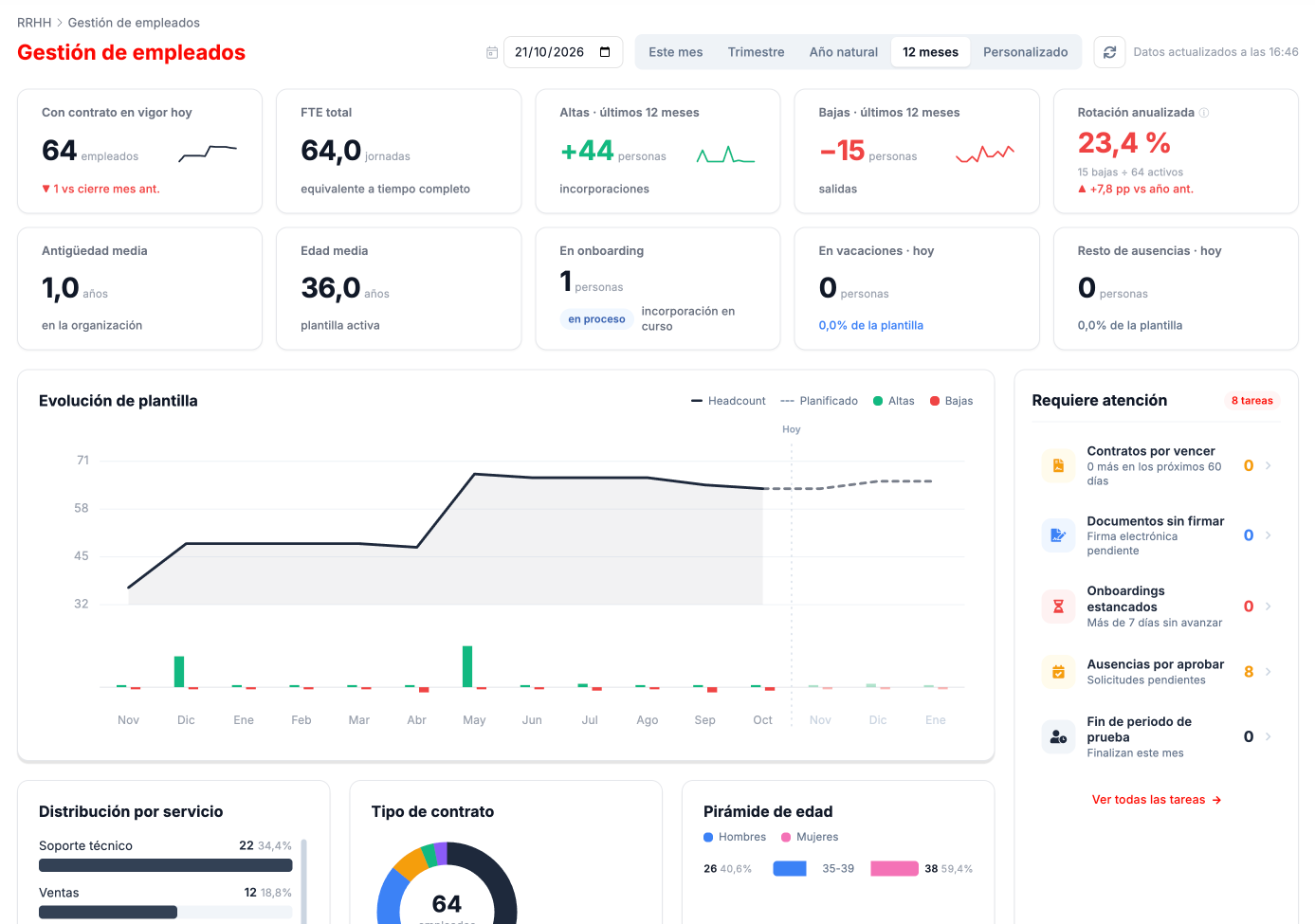
Section titled “Workforce dashboard”CLOUD HRMS › Dashboard Empleados summarizes the state of the workforce. At the top you choose the period (this month, quarter, calendar year, last 12 months or a custom one) and the reference date.
- Indicators: people with a contract in force, full-time equivalent headcount, hires and leavers in the period, annualized turnover, average seniority, average age, people in onboarding and people on vacation or with other absences today.
- Workforce trend: the headcount month by month with its hires and leavers, and the forecast for the coming months based on planned hires.
- Requiere atención (Needs attention): contracts about to expire, unsigned documents, stalled onboardings, absences awaiting approval and probation periods ending this month.
- Distributions: by service, by contract type and the age pyramid.
The requests and absences dashboard is in Requests and absences.
Reports
Section titled “Reports”CLOUD HRMS › Informes › Informes brings together the available reports. All of them have filters, a Buscar (Search) button and the Exportar Excel (Export to Excel) option.
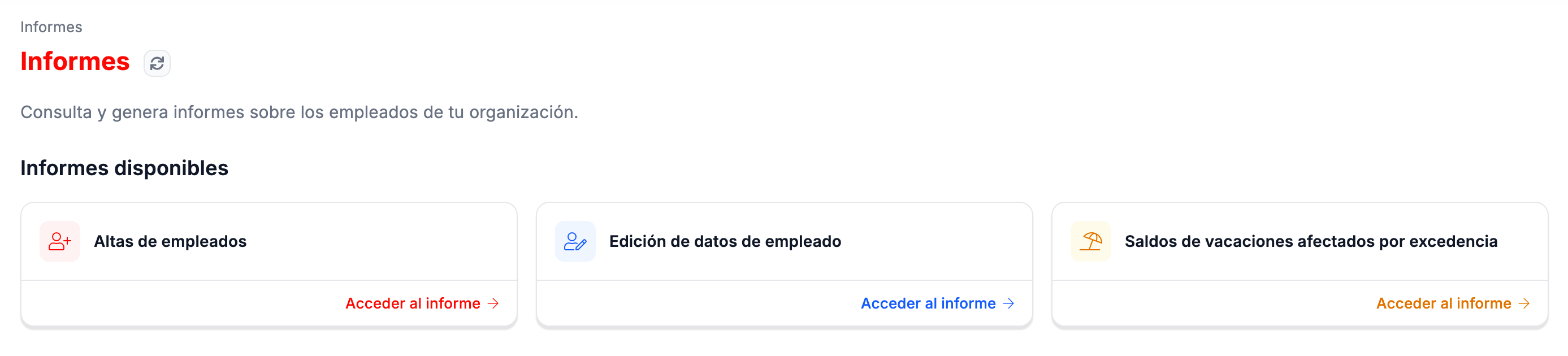
| Report | What it shows |
|---|---|
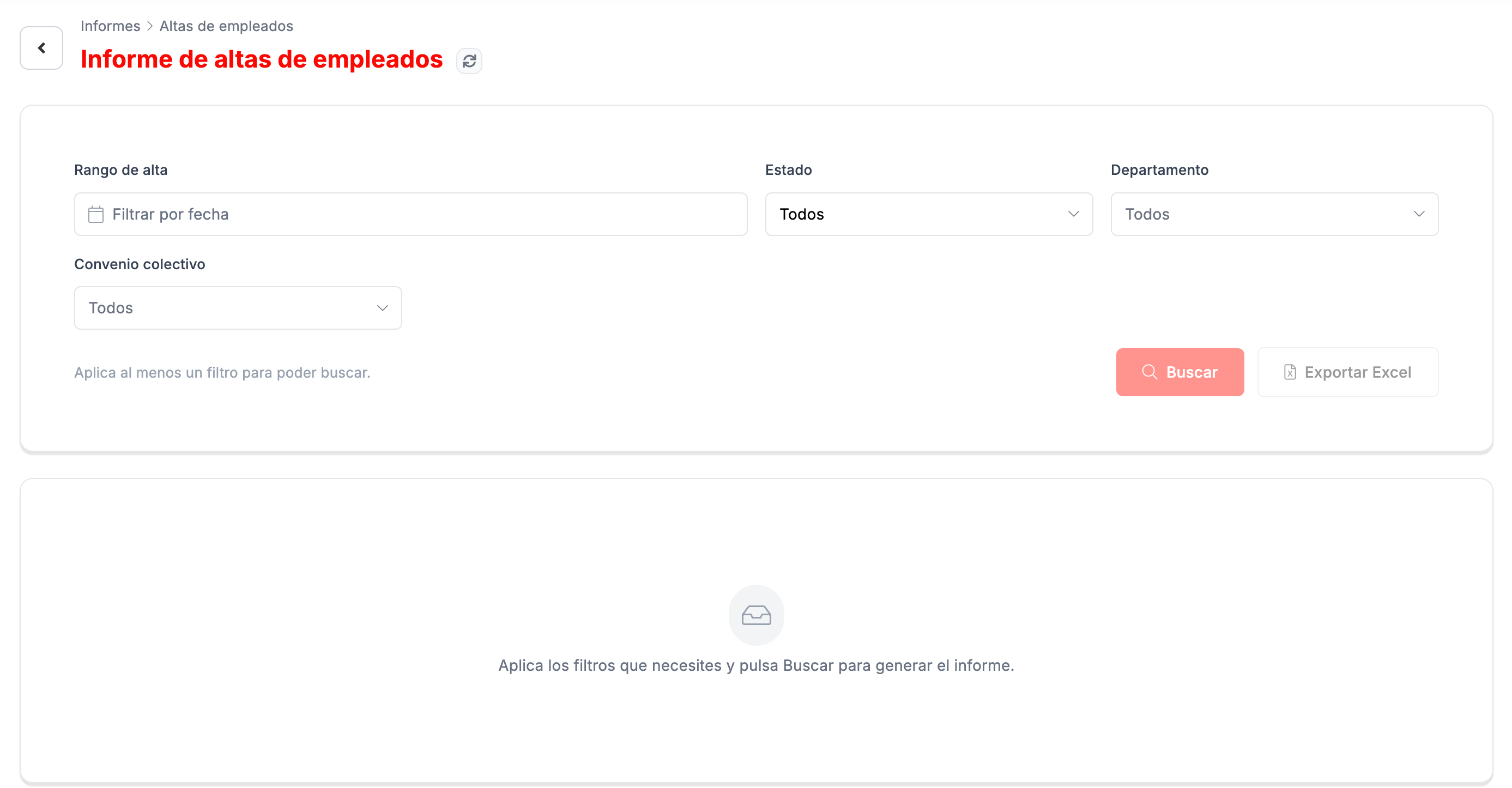
| Altas de empleados (Employee hires) | Hires, filtered by date range, status, department and collective agreement. You must apply at least one filter to search. |
| Edición de datos de empleado (Employee data changes) | Changes to people’s details: which field changed, the previous and new value, the request and effective dates, and who requested it. It is filtered by effective date and request date. |
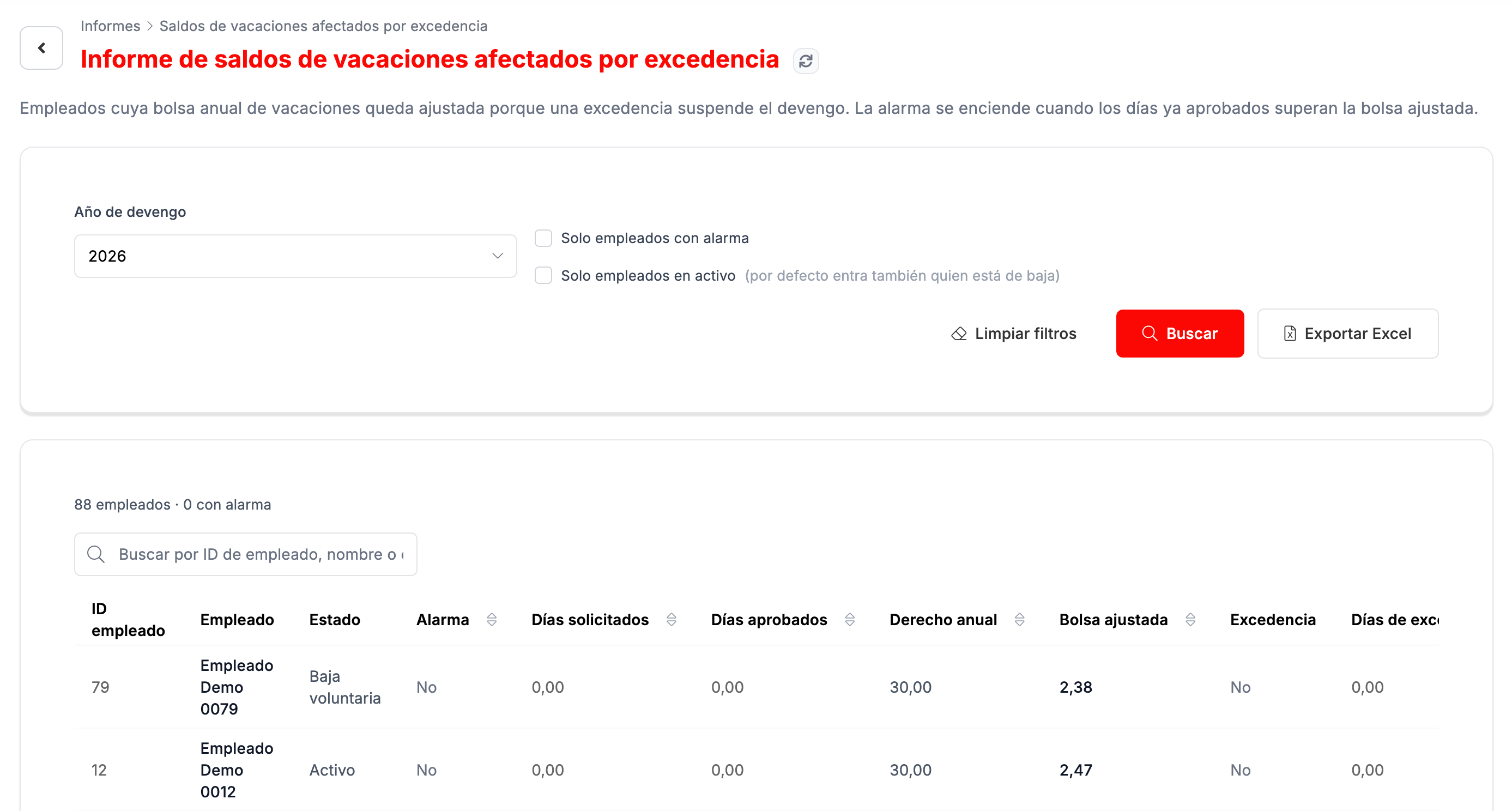
| Saldos de vacaciones afectados por excedencia (Vacation balances affected by a leave of absence) | People whose annual vacation allowance is adjusted because a leave of absence suspends accrual. The alarm goes on when the days already approved exceed the adjusted allowance. It is filtered by accrual year, alarm only and active only. |
Troubleshooting
Section titled “Troubleshooting”- The hires report does not search. Apply at least one filter: the screen asks for one before searching.
- You need the data outside the platform. The reports have Exportar Excel.
Related
Section titled “Related”Employee managementThe list and each person's record.
Requests and absencesThe back-office dashboard.